Guide
Stock management software in Algeria: goods in, goods out, stock counts and alerts
Stock management software (inventory software, “logiciel de gestion de stock” in French) tells you, at any moment, what is left on the shelves and in the back room, what to order and what your goods are worth. In Stockivia, each sale at the till takes the product out of stock, each delivery from a supplier brings it in, and a stock count corrects the differences. It all works without internet, on a Windows PC.
· Published by Stockivia, the maker of the software described on this page.
In short
- Stock updates: automatic at each sale, return, delivery and transfer.
- Products: names in Arabic and French, several barcodes, units, cartons, variants, serial numbers, lots and expiry dates.
- Stock count: aisle by aisle, with a handheld scanner or a phone.
- Alerts: low stock, out of stock, expiry coming up, products that no longer sell.
- To get started: import from Excel or CSV, or pick from a catalogue of products sold in Algeria, mostly food.
- Price: included in the free demo and in Premium (45,000 DA, paid once).
How the stock is kept up to date
You do not keep the stock by hand: it follows what happens in the shop.
Every movement is kept in a history that cannot be erased: you can always find out why a product’s stock changed.
- A sale at the till takes the sold products out.
- A customer return brings them back in, if you choose.
- A delivery from a supplier brings the goods in and updates the product’s average cost.
- A loss, a breakage or a mistake is corrected with an adjustment and its reason.
- A transfer moves goods from one depot to another.
Product records made for Algerian trade
Each record carries what your trade needs, and nothing more: the advanced fields stay hidden until you ask for them.
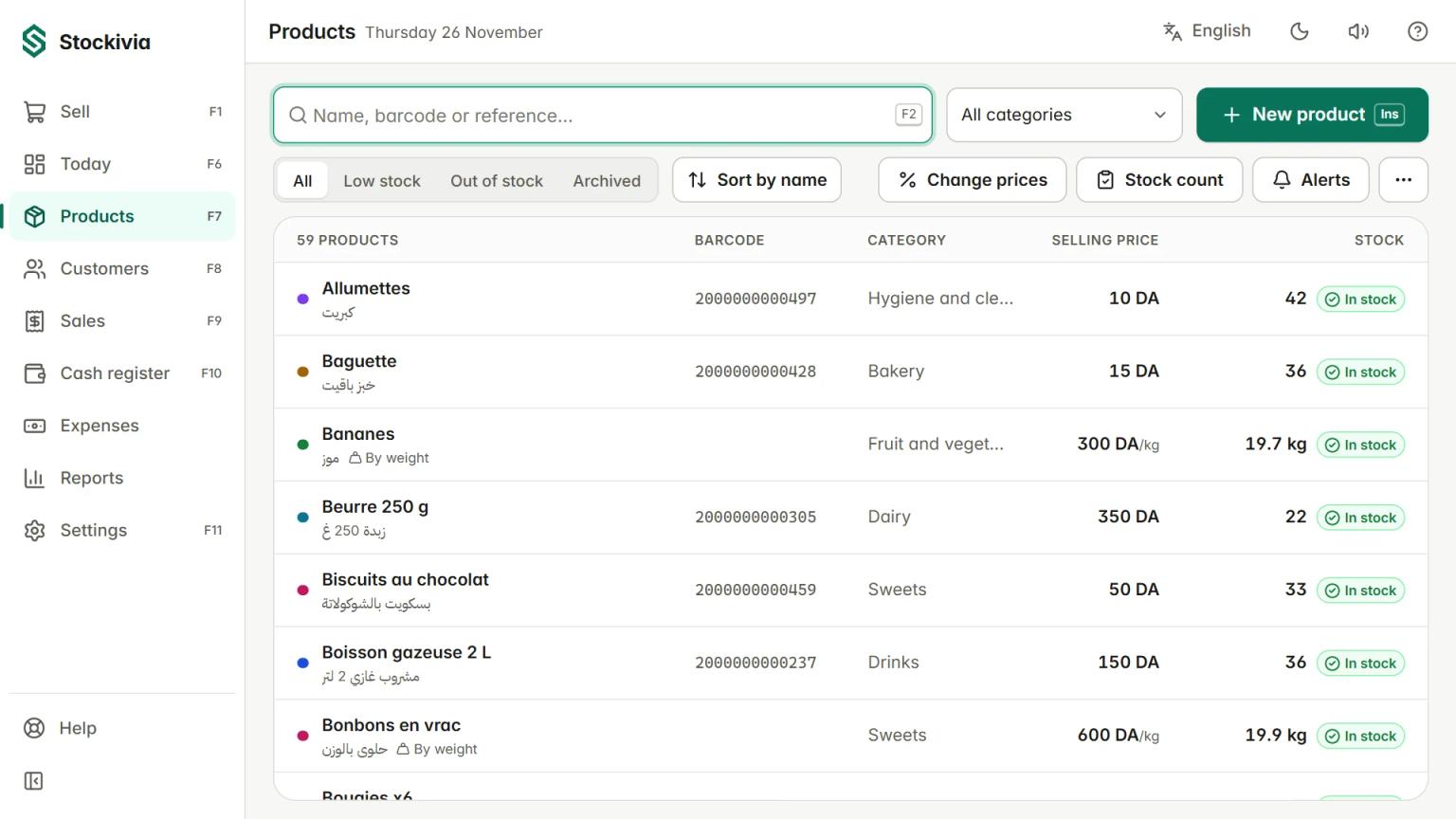
- The name in French and in Arabic, to search and print in both languages.
- Several barcodes and references for the same product, and internal barcodes for products that have none.
- The selling unit: piece, kilo, metre, box or bag.
- Carton and unit: you receive in cartons, you sell by the unit, and the stock converts by itself.
- Size and colour variants, for clothes and shoes.
- Serial numbers and IMEI, for phone shops, with the warranty.
- Lots and expiry dates, for food and cosmetics.
- Retail, semi-wholesale and wholesale prices, and special prices per customer.
Purchases and suppliers
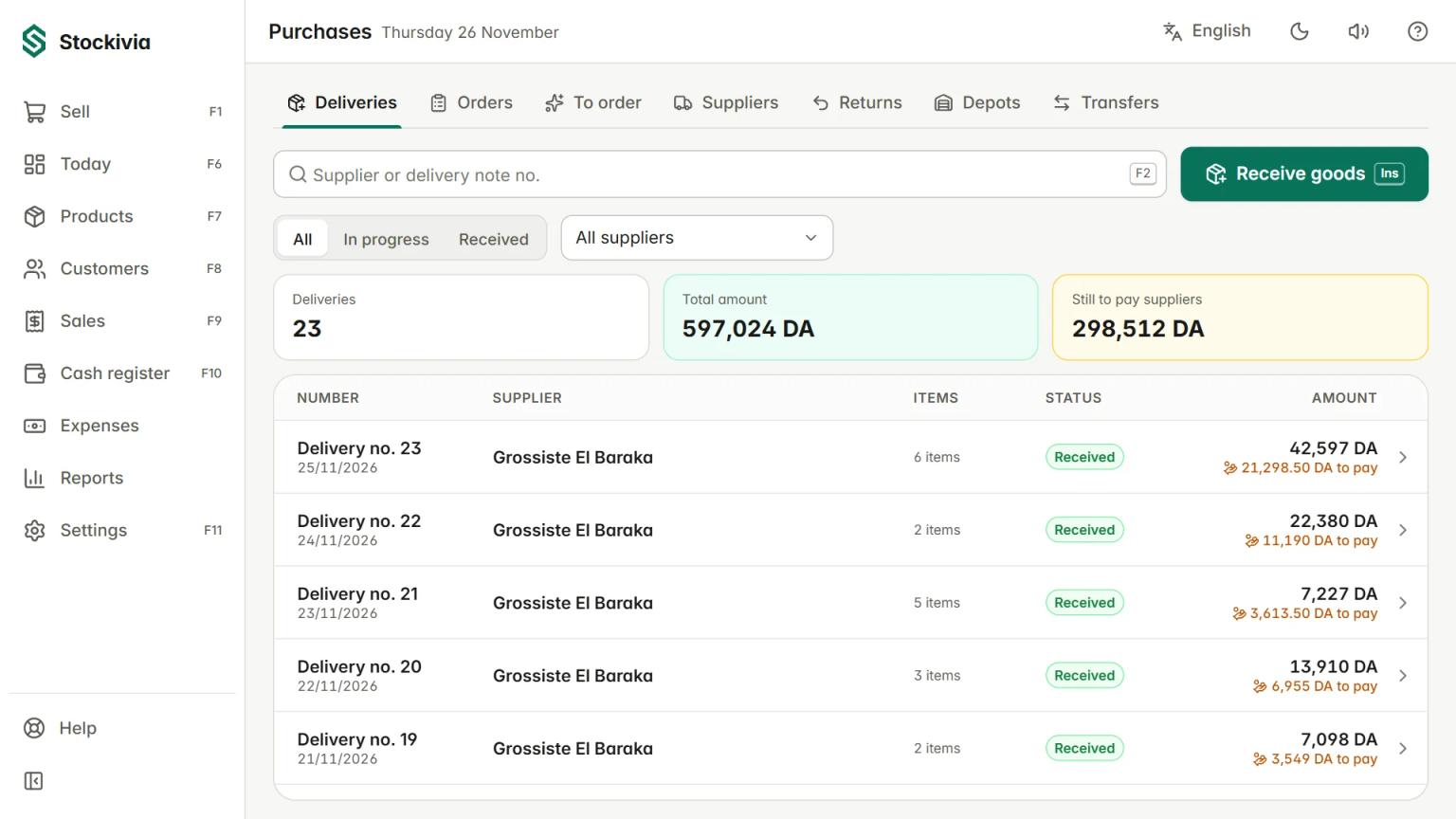
Stock starts at the supplier. Stockivia follows orders, deliveries and what you still have to pay.
When a delivery is received, the quantities enter the stock and the purchase price updates the average cost, which gives a true margin on each sale. The “To order” tab suggests the products to restock.
- Purchase orders and deliveries, with the delivery note number.
- Debts to suppliers, and payments.
- Purchase price history per supplier.
- Returns to the supplier.
Counting stock, aisle by aisle
There is no need to close the shop for a day to count everything. A stock count only changes what you counted: so you can count one aisle today and another tomorrow.
Scan each product with the handheld scanner, or with a phone linked to the PC over the shop’s Wi-Fi: one beep, one piece, and a carton’s code counts the whole carton. At the end, you check the differences before confirming.
Alerts
They are gathered on one page, and the day’s screen reminds you of them.
- Low stock: the product has gone below the minimum you set.
- Out of stock: none left.
- Expiry: a lot is close to its date, or past it.
- Dormant products: those that no longer sell.
Getting started without typing everything
The most common fear: having to type thousands of products and count every bottle before the first sale. It is not necessary.
- Import your products from an Excel or CSV file: you match the columns, you see a preview, and the lines to correct are pointed out.
- Tick your products in the catalogue provided: thousands of products sold in Algeria, mostly food and drinks, with their name and barcode (source: Open Food Facts).
- Or start selling straight away: an unknown barcode scanned at the till creates the product in a few seconds.
- A product’s stock is followed from the first time you count it.
Using Stockivia for stock only
Some shops keep their till on another program or another machine. One setting then adapts Stockivia: the sale screen and the register leave the menu, and the application opens on products, purchases, stock counts and expiry dates. You can change this choice at any time.
Several depots
You can follow the stock of several depots, for example the shop and a storeroom, and transfer goods from one to the other. A depot cannot send more than it holds.
Keeping several shops in sync over the internet is not part of it: for that need, talk to us about Stockivia Custom.
What your stock is worth
The reports give the value of the stock, the margin per product and per category, and the list of products that are not moving. Everything exports to Excel, at any time.
Frequently asked questions
Is the stock updated by itself after each sale?
Yes. Each sale completed at the till takes the products out of stock, with nothing to type. Returns, deliveries and transfers update it in the same way.
Can you manage stock without using Stockivia’s till?
Yes. One setting removes the sale screen and the register from the menu: Stockivia is then used for products, purchases, stock counts and expiry dates.
Do you need a full stock count before starting?
No. You can sell straight away and count one aisle at a time: a product’s stock is followed from its first count.
Can products be imported from Excel?
Yes, from an Excel or CSV file: you match the columns, check the preview, and Stockivia points out the lines to correct.
Does Stockivia handle expiry dates?
Yes. Dates are entered per lot, on delivery or on the product’s record, and Stockivia warns you when a lot is close to its date or past it.