Guide
Arabic till receipts on a thermal printer: why they come out wrong, and how to print them correctly
On many thermal printers, Arabic comes out as separated letters, in reverse, or replaced by symbols. Most of the time the printer is not at fault: it is the way the software sends it the text. Stockivia draws the receipt itself, with joined letters and from right to left, then sends it to the printer as an image. Arabic then prints correctly, at both 58 mm and 80 mm.
· Published by Stockivia, the maker of the software described on this page.
In short
- Paper widths: 58 mm and 80 mm.
- Receipt languages: Arabic, French, English, or bilingual French and Arabic.
- Printers: ESC/POS thermal printers, over USB, the network or a serial port.
- Cash drawer: opened by the printer at the end of each sale paid in cash.
- Also: invoices and quotes on A4 or A5, price labels.
- Included in the free demo: you can test on your own printer.
Why Arabic prints badly
A thermal printer can print text on its own: the software sends it character codes, and it uses its own fonts. This is fast, and fine for French and English.
Arabic needs two things this mode does not do. First, joining the letters: each letter changes shape depending on its place in the word. Second, writing from right to left, including when a line mixes words and numbers. Without that, the printer produces isolated letters, in the wrong order, or question marks.
How Stockivia prints Arabic
Stockivia does not send text: it draws the whole receipt, with its own fonts, at the exact width of the print head (384 dots for 58 mm, 576 dots for 80 mm), then sends it to the printer as an image.
So the result no longer depends on the printer’s fonts: what you see in the preview is what comes out on paper.
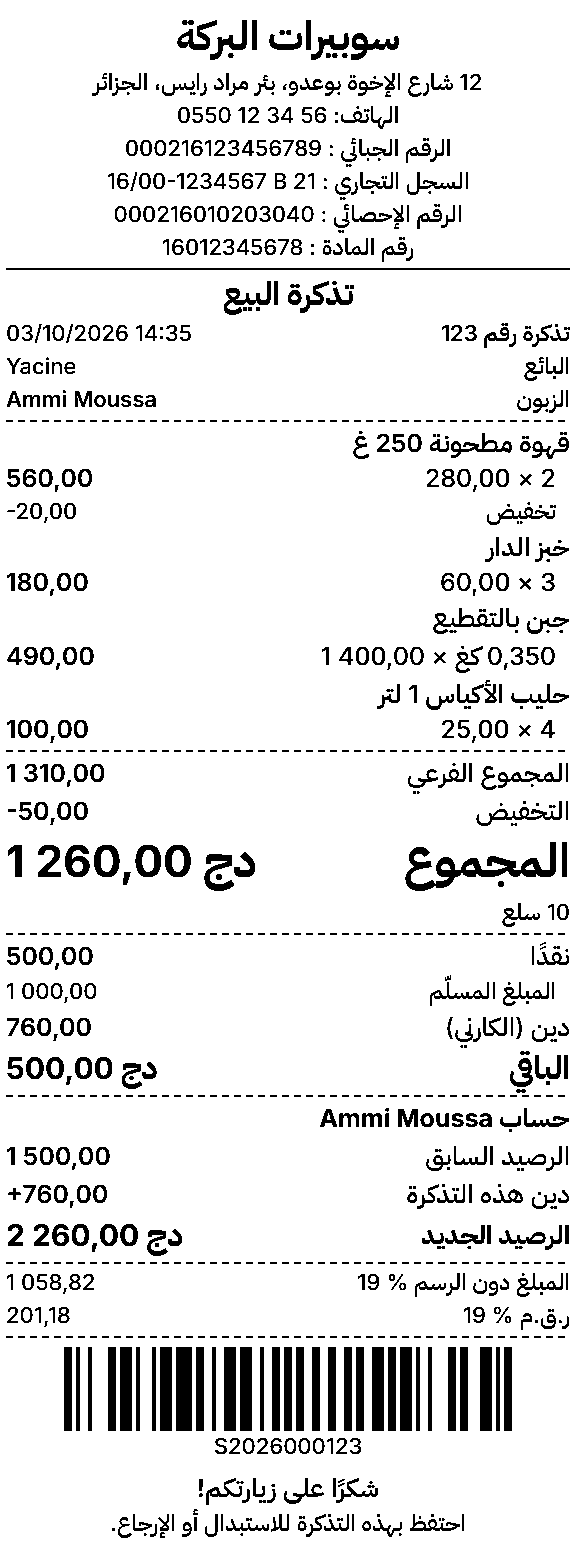
80 mm, Arabic
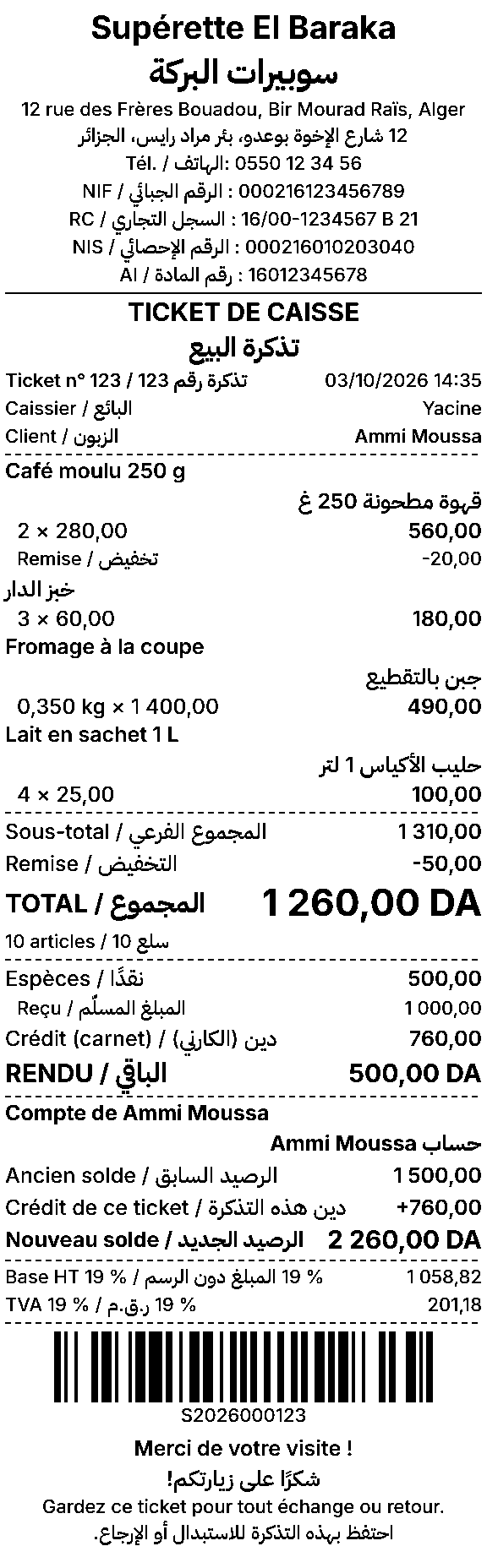
80 mm, French and Arabic
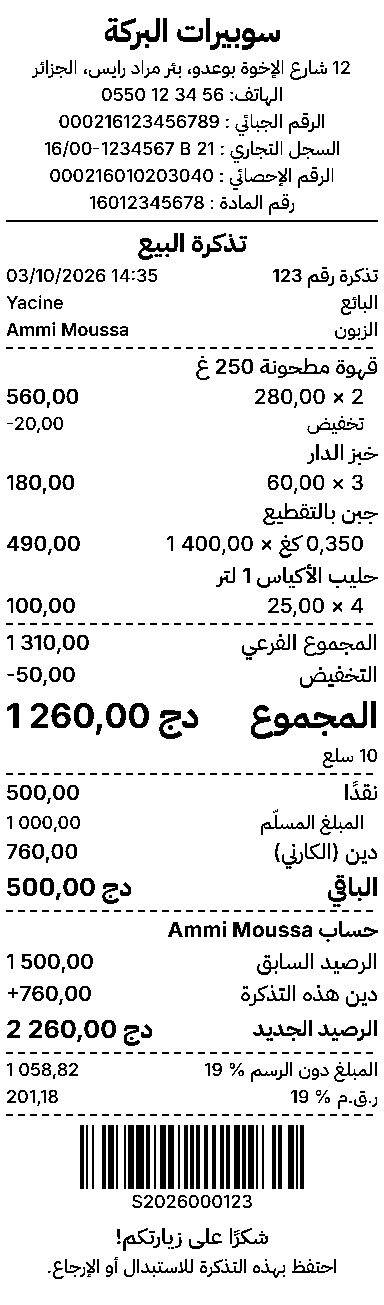
58 mm, Arabic
What the receipt contains
Each element is switched on or off in the receipt settings, with a live preview.
- The shop’s name, address and phone, and your logo.
- Your registration numbers (NIF, RC, NIS, AI), if you choose to show them.
- Each product with its quantity, its price and its discount.
- The total, the amount received and the change given.
- For a credit sale: the customer’s previous balance, this receipt’s credit and the new balance.
- The VAT breakdown by rate, for shops under the real tax regime.
- A barcode that finds the sale in one scan, for a return or an exchange.
- The amount in words, if you want it.
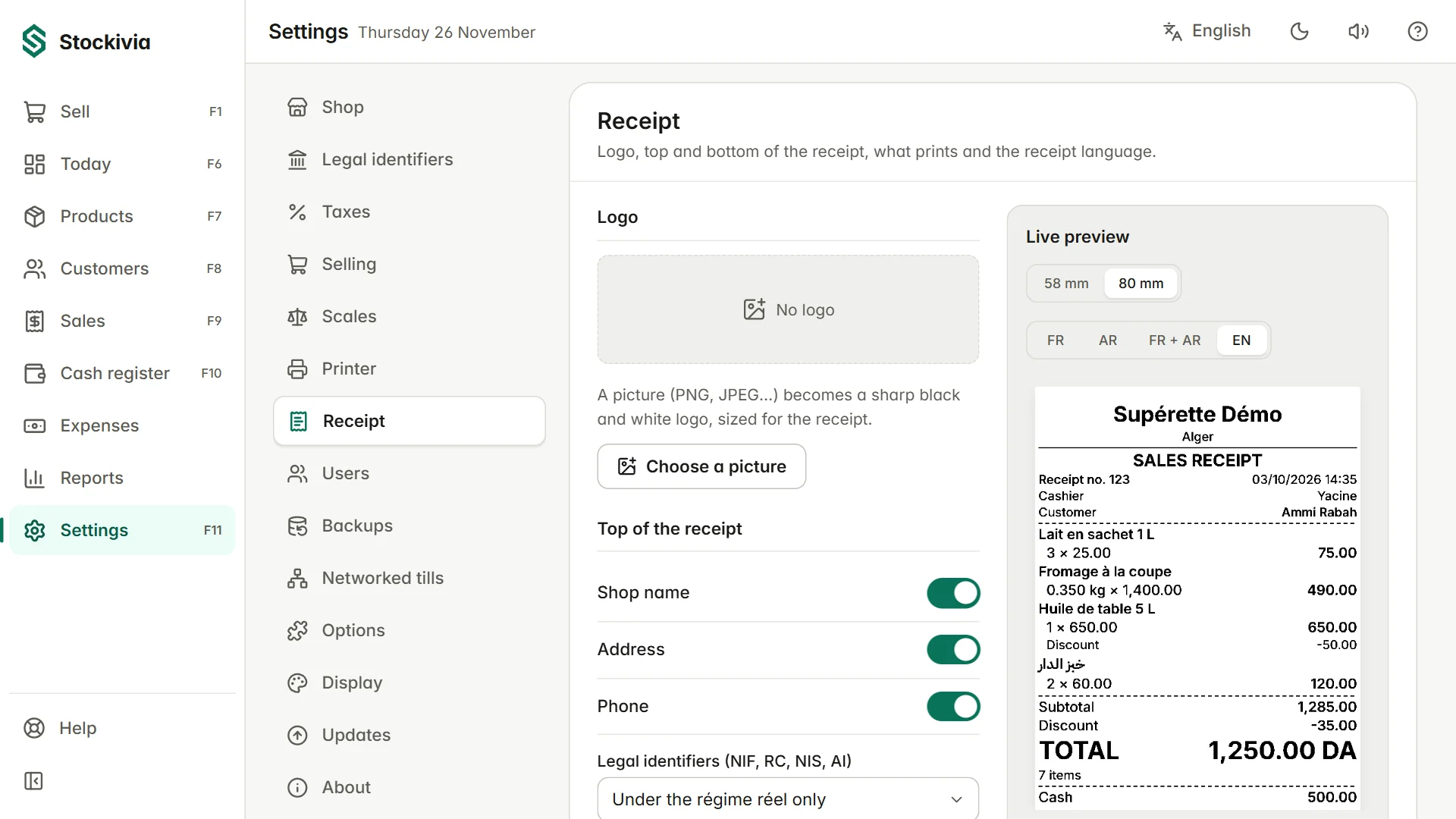
Arabic, French, English or bilingual
The receipt’s language does not depend on the screen’s: the cashier can work in French and hand over a receipt in Arabic. The bilingual receipt shows each label in both languages, and each product’s name in French and in Arabic.
Which printers?
Stockivia works with thermal printers that understand the ESC/POS language, at 58 or 80 mm: it is the language of the most common receipt printers, including Xprinter, Epson and their compatibles. They connect over USB with the Windows driver, over the network, or on a serial port.
We do not yet publish a list of models tested one by one. The surest way is to try on yours: the printer assistant runs a test print, and the demo is free.
Setting up the printer in four steps
The printer assistant guides you, and shows you the result before paper is wasted.
- Plug in the printer and switch it on.
- Open Settings, then Printer.
- Choose the printer and the paper width, 58 or 80 mm.
- Run the test print and check the Arabic.
Invoices, quotes and labels
Business documents (quotes, invoices, delivery notes, credit notes) print on A4 or A5 on an office printer, in French, in Arabic or in both languages. Stockivia also prints price and barcode labels.
Frequently asked questions
Why does my thermal printer print Arabic as separated letters?
Because the software sends it plain text, and the printer’s fonts can neither join Arabic letters nor write from right to left. When the software sends the receipt as an image, as Stockivia does, the problem disappears.
Do you need a special printer to print in Arabic?
No. With Stockivia, an ordinary ESC/POS thermal printer, at 58 or 80 mm, is enough: the Arabic is drawn by the software, not by the printer.
Can the receipt be in Arabic and French at the same time?
Yes. The bilingual receipt shows the labels and the product names in both languages. You can also choose Arabic only, French only or English.
Does Stockivia open the cash drawer?
Yes, when the drawer is plugged into the receipt printer: it opens at the end of each sale paid in cash. An opening without a sale is recorded in the register’s log.
Can you put your logo and registration numbers on the receipt?
Yes. You choose an image, which Stockivia turns into a black and white logo at the receipt’s size, and you decide whether to show the NIF, RC, NIS and tax article number.